Contact support

Continue a worked example with Pro

Keep your worked example open while you view Pro plans. MarketStats uses that tab to return you to the study and check access to its market.
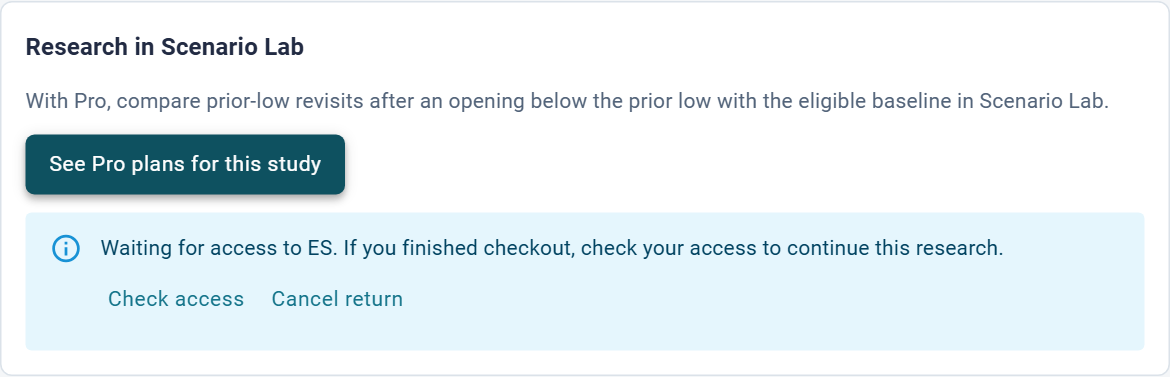
Return to the study after checkout

  1. In the worked example, select See Pro plans for this study. If your paid access has expired, select Renew access. The offer opens in a new tab.
  2. If you choose a plan, check that it includes the example’s market. Review the term and renewal details in the offer.
  3. After checkout, return to the original MarketStats tab. If it says it is waiting for access, select Check access.
  4. Open the study using the button for its tool, such as Open Scenario Lab, if the workspace has not already opened. Check the market and dates before changing the study.
Scenario Lab preview with See Pro plans for this study and a waiting-for-access message with Check access.
Back in the original tab, select Check access if the ES study is still waiting for activation.

If you closed the example

In the same browser and MarketStats account, open Home. Look for Previews saved for your upgrade return and select the example. You can also find it again in the Statistics Library.

If the market is missing

Open Account and access and check Markets. If the plan covers a different market, use the alternative market link when one is offered. For a fixed-term pass, Recorded access through shows the last included day. Contact support from the account page if your access differs from your order.