Contact support

How much volume trades overnight?

The overnight volume distribution groups the number of contracts traded in each recorded overnight period. MarketStats assigns the total to its trading date, which can differ from the calendar date on which the overnight period began.

Find an overnight volume interval

In the Statistics Library, open Overnight volume distribution. This lookup requires MarketStats Pro access to the selected market.
  1. Select your market and dates, then choose Table view.
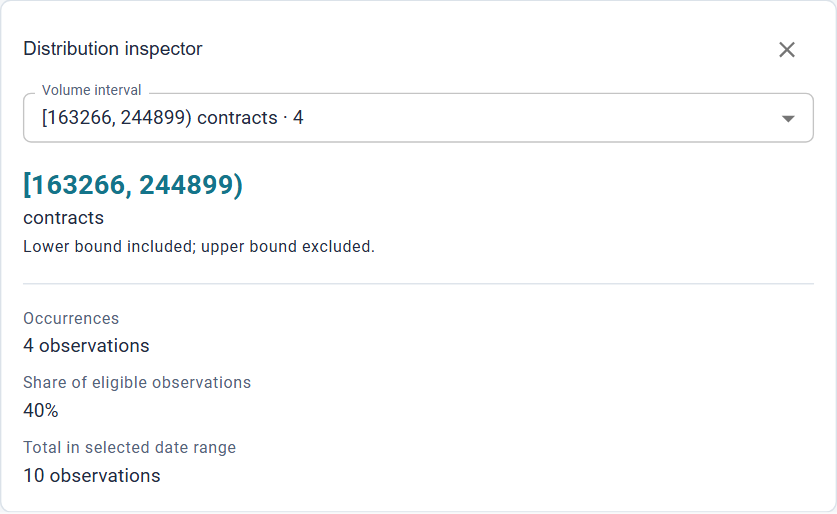
  2. Select a row under Volume interval (contracts). Read the lower and upper bounds in the inspector.
  3. Read Occurrences for the number of observations in that interval. Use the eligible total for its share.
Overnight volume inspector showing four observations between 163,266 contracts inclusive and 244,899 exclusive.
Illustrative ES sample. Four of ten overnight observations fell in [163,266, 244,899) contracts. A value of exactly 244,899 belongs outside this interval.

Is the percentage a share of traded volume?

It is the share of eligible overnight observations in the interval. Each trading date with a recorded overnight total contributes one observation, regardless of how many contracts traded. To measure volume during the configured session, open Session volume distribution.

Read a distribution