
Use the prior value area to locate an open that falls inside the previous session’s range. The value area has two boundaries, the value-area high (VAH) and value-area low (VAL).
The prior high and low define the range. VAH and VAL define the value area inside it. See the opening-scenario level definitions.
In the Statistics Library, open Session open vs prior value area. This lookup requires MarketStats Pro access to the selected market.
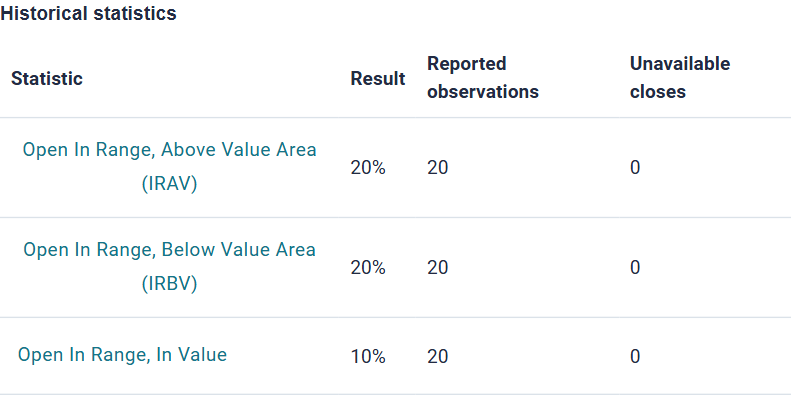
Ten of the 20 opens were inside the prior range. The other ten opened outside it. To ask how many of the in-range opens were above value, divide four by ten. That gives 40% within the in-range group. The table shows 20% because it divides four by all 20 opens.