
Opening-range width is the OR high minus the OR low, in points. MarketStats uses five one-minute bars. For ES, NQ and CL, the window begins at the configured session start. For FDAX, FESX and FGBL, it begins one hour later.
In the Statistics Library, open Opening range distribution. This lookup requires MarketStats Pro access to the selected market.
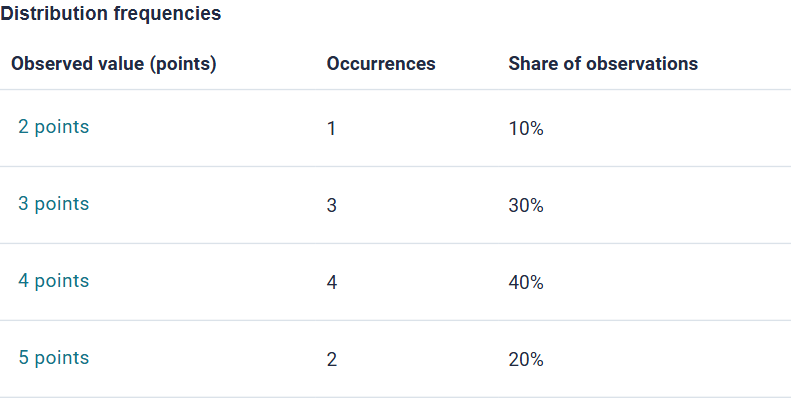
If the highest price in those five bars was 5,913 and the lowest was 5,910, the opening range was 3 points wide. A move after the window can break that range. Read the opening-range break guide in MarketStats for how often that happened.