Contact support

Compare targets in Target & Stop Lab

Use Target & Stop Lab to compare two target distances for the same hypothetical entries. Keep the trigger, stop, costs and observation window fixed.
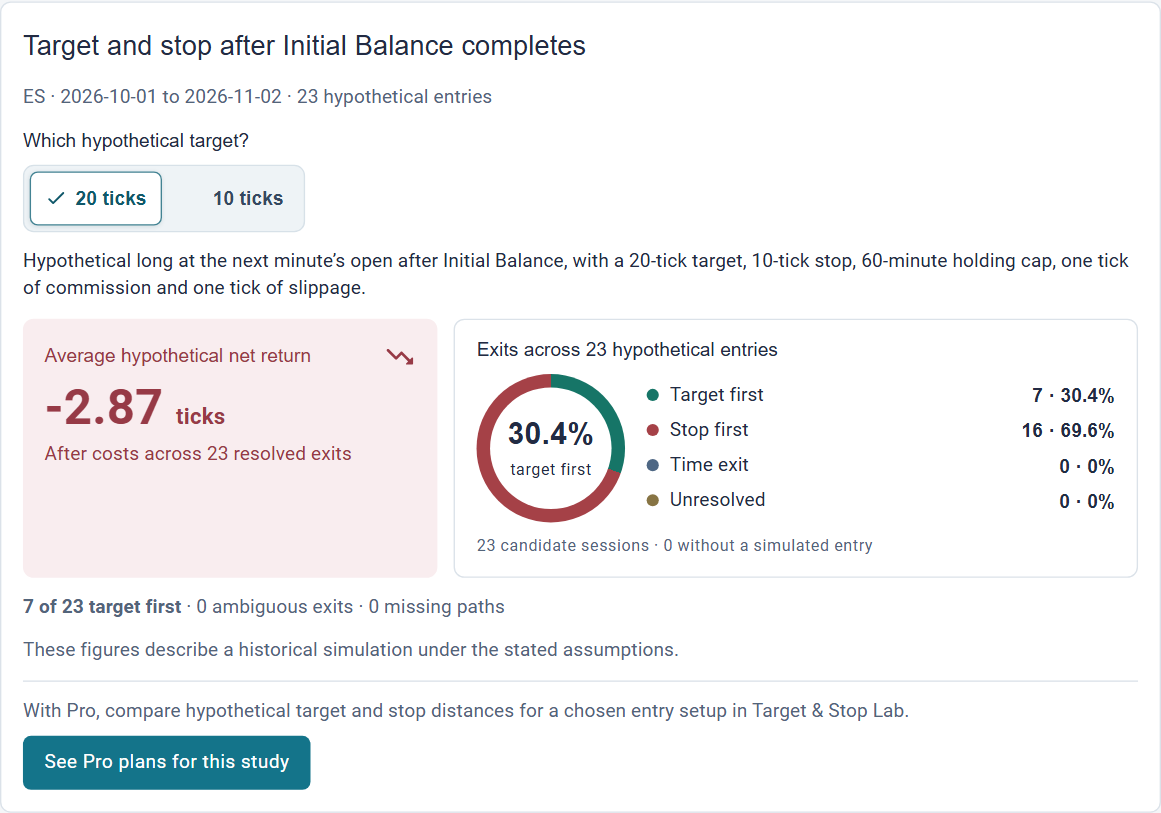
Change one target distance

  1. Open Target & Stop Lab. Select the market, dates and entry trigger. Choose long or short and check the distance unit.
  2. Under Levels from entry, set the target and stop. Check entry timing, holding window, commission and slippage. Run the study.
  3. Record the entry count, exit counts and average net result. Change the target distance and run the study again. A result labelled Previous run still uses the earlier settings.
ES Target & Stop Lab example showing exit order for the selected target and stop.
Use the same entry sample and stop when comparing target distances.

Compare exit order and net ticks

Under Historical outcome, the target-first share uses all hypothetical entries. Inspect stop-first exits, timeouts, scheduled exits where configured, and unresolved exits. When both levels trade in one minute, the bar alone cannot establish their order. Check the same-bar rule.

A closer target can produce more target-first exits while paying fewer ticks per success. Compare the average hypothetical net return after costs and its resolved-exit count alongside the target-first share.