Contact support

Track levels in Reference Level Explorer

Use Reference Level Explorer to see how often price reached a level after a chosen decision point and how long a confirmed touch took.
Choose the levels and window

  1. Open Reference Level Explorer. Choose the market, dates and Study type.
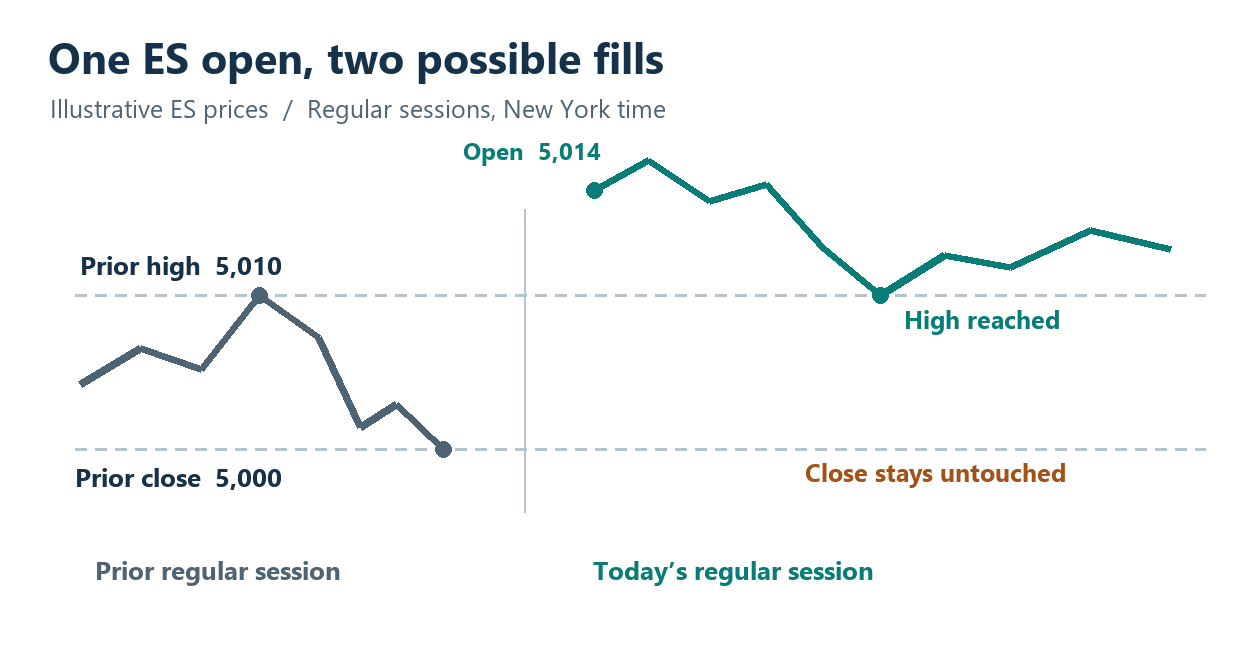
  2. Select the decision point and Levels to compare. For a gap-up study, distinguish a return to the prior high from a full gap fill at the prior close. These prices can differ.
  3. Set the Observation window and run the study. Select a level under Which level would you like to inspect?
ES gap example showing two different reference levels.
Identify the prior high and the prior close before interpreting a touch.

Read the rate and timing together

The touch rate uses sessions with enough evidence to evaluate that level. Check the confirmed hits and eligible sessions beside each rate.

Under Time to touch, the median describes confirmed hits with usable timing. The middle 50% shows how spread out those times were. A confirmed hit can lack a resolved time, so check the timed count before comparing two medians.