
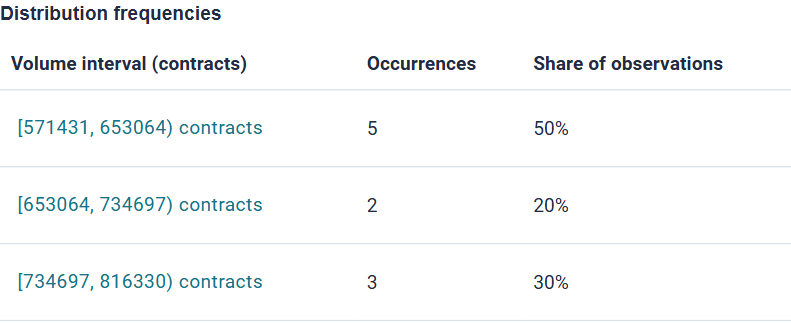
Session volume is the recorded number of contracts traded during the configured session. This distribution groups session totals into intervals so you can see how often a market traded within a volume band.
In the Statistics Library, open Session volume distribution. This lookup requires MarketStats Pro access to the selected market.
The daily total combines the entire configured session. To see which time windows accounted for more activity, open the volume heatmap and compare its Average row across the session.