Contact support

Rank outcomes in Outcome Discovery

Outcome Discovery sorts follow-on events by how much more often they occurred after your trigger than in the baseline. Each event has its own eligible sample.
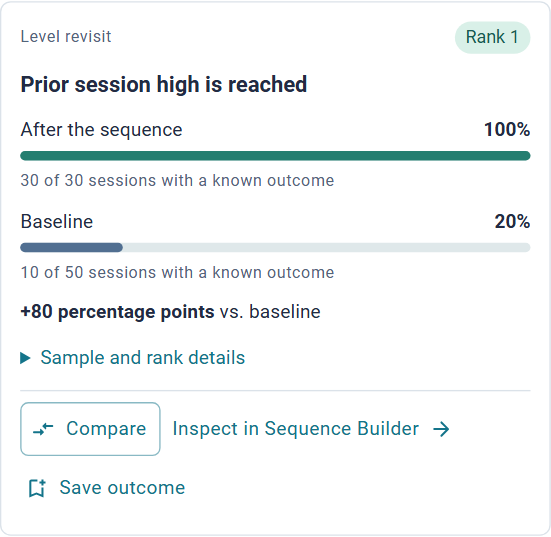
Example ranked outcome showing eligible observations after the sequence and in the baseline.
Use the counts under each percentage to check which sessions support the rank.

Inspect a ranked outcome

  1. Open Outcome Discovery. Set the market, dates and trigger. Run the study, then open How outcomes are ranked.
  2. Choose a ranked outcome. Read its after-sequence count and rate. Then read its baseline count and rate.
  3. Subtract the baseline rate from the after-sequence rate. For example, 65% minus 50% is a lift of 15 percentage points. Compare a second outcome using its own counts.

Understand an unranked result

To qualify, both groups need the minimum number of eligible sessions shown in the tool. The entire Wilson interval for the after-sequence rate must sit above the baseline interval. The tool sorts qualifying outcomes by lift, largest first.

An outcome can occur frequently and also occur frequently in the baseline. It can therefore have little lift. If no outcome ranks, read the sample and interval messages before changing the dates or trigger. The comparison groups can overlap.