Contact support

Build an ordered event sequence

Use Sequence Builder when the order of events matters. A session can contain two events and still fail your trigger if they happen in the wrong order.
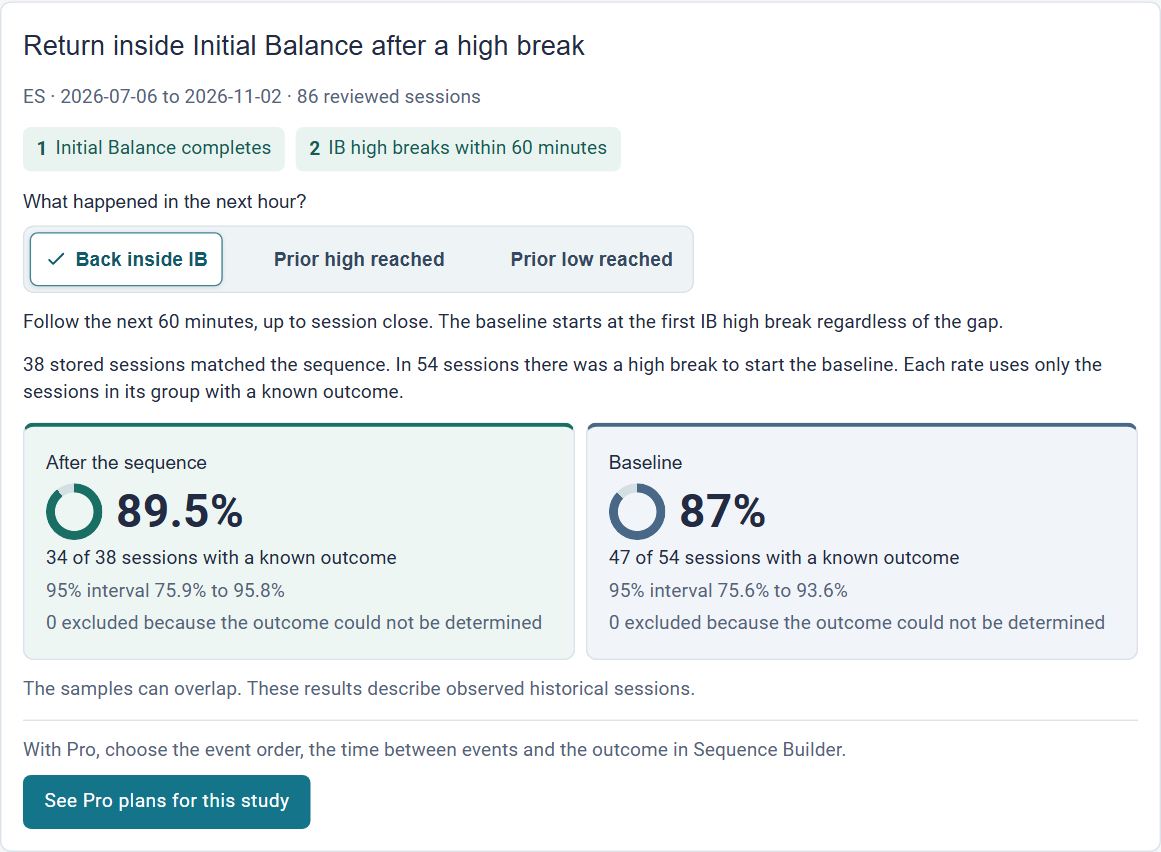
Define the trigger and the outcome

  1. Open Sequence Builder. Select the market and dates. Under Study path, choose the events in the order they must occur.
  2. Set any time limit between steps. For example, require an initial balance high break within one hour after the first hour ends.
  3. Under What to measure after the final event, choose a later event, such as a return inside the initial balance. Set the observation window and run the study.
Sequence Builder result for an ES initial balance break followed by a return.
Read the return window from the final event in the sequence.

Follow one session through the rules

Start the outcome clock when the final trigger event occurs. A return before the break cannot satisfy the outcome. A return after the window ends also misses the cutoff. The session close can shorten the available window.

Read the number that completed the trigger, then the eligible count for the outcome. Keep sessions with incomplete evidence separate from sessions observed through the cutoff.