Contact support

Measure an IB or opening-range extension

IB/OR Extension Explorer measures how far price travelled beyond a completed initial balance or opening range. Each direction has its own eligible paths.
Set a distance from the boundary

  1. Open IB/OR Extension Explorer. Choose the initial balance or opening range under Range reference.
  2. Choose the trigger under Start measuring after. Set the market, dates and observation window.
  3. Enter Extension thresholds as multiples of the completed range width. If a range is 10 points wide, 0.5 means 5 points above its high or 5 points below its low. Run the study.
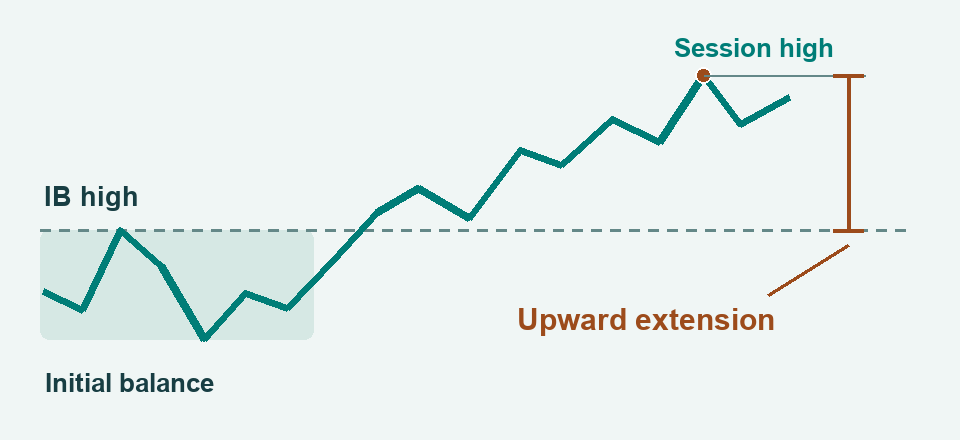
An upward extension measured from the initial balance high to the session high.
For an upward extension, start at the completed range high.

Read upward and downward extensions

Under Post-trigger extensions, read above-high and below-low distances separately. The marker shows the median and the band covers the middle 50%.

At each threshold, divide the number of sessions that reached the distance by the eligible paths for that direction. Compare that rate with the baseline for the same threshold and window. The baseline starts at the first occurrence of the final event.