Choose a dated link to share a research question. Choose an export when the reader needs the result you saw, including its dates and counts.
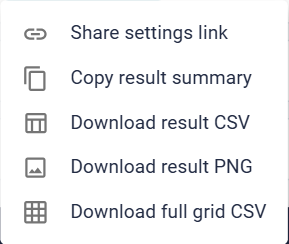
Choose the output
- In Scenario Builder, use Copy dated settings link to share the market, settings and end date. The recipient needs access to the selected tool and market. Your private saved original stays in your account.
- For a Scenario Lab or Scenario Builder result, open Export. Choose Download CSV for data or Download PNG for the displayed report. A saved original offers original-labelled downloads when available.
- In Sequence Builder and the other research tools, use the export beside the result you want. Export path comparison applies to the follow-on paths. Read the menu labels to see which CSV or PNG the result supports.
- In Target & Stop Lab, choose Copy result summary, Download result CSV or Download result PNG for the selected result. Download full grid CSV, when offered on a live run, covers the grid.
Keep the evidence with the file
Include MarketStats by Chart Spots, the market, actual date range and outcome definition when you use an export. Keep the eligible count with every quoted rate. For a hypothetical result, include entry, exit and cost assumptions.
A dated settings link asks the tool to calculate the question again. Keep the original export when you need an exact record of a number you shared.