
Choose the moment when you could first have asked your question. In Research → Scenario Lab → Scenario Builder, open Checkpoint. The checkpoint controls which facts you can use to select sessions and which outcomes you can measure.
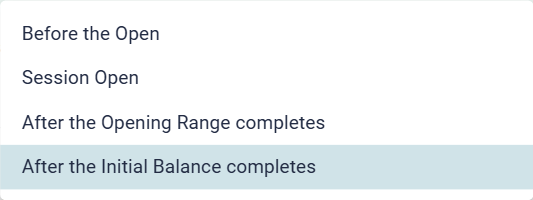
| Checkpoint | Questions and conditions |
|---|---|
| Before the Open | Ask whether the next session opens outside the prior range, or where it opens (above, inside or below). Filter by the prior day type, the location of the prior close within its range, or the trading weekday. |
| Session Open | Use the opening price to study prior high and low revisits, day types by opening location, a close inside prior value, or touches of the prior value-area boundaries. The overnight-volume question compares how often each volume group closes outside the prior range. |
| After the Opening Range completes | Ask which boundary broke first or where the session closed relative to the completed range. The closing-location question also lets you limit the opening-range width in points. |
| After the Initial Balance completes | Ask whether price extended above or below the initial balance (IB), or measure the full-session range. For extensions, choose a relative IB size or set a maximum width in points. The full-session range includes the IB itself. |
Scenario Builder keeps a selected weekday where the new question supports it. It resets the other checkpoint-specific conditions and selects the default outcome for the new checkpoint. Check Known conditions before comparing the new result with your original.
For example, “Does an open above yesterday’s high revisit it?” belongs at Session Open. If you want to require a small first-hour range, wait until the initial balance is complete and choose one of the IB questions.