
In Strategy Hypothesis, use the trade limit to decide whether a session can contribute more than one hypothetical entry. Use the result breakdowns to see which entries contributed to the earlier and later figures.
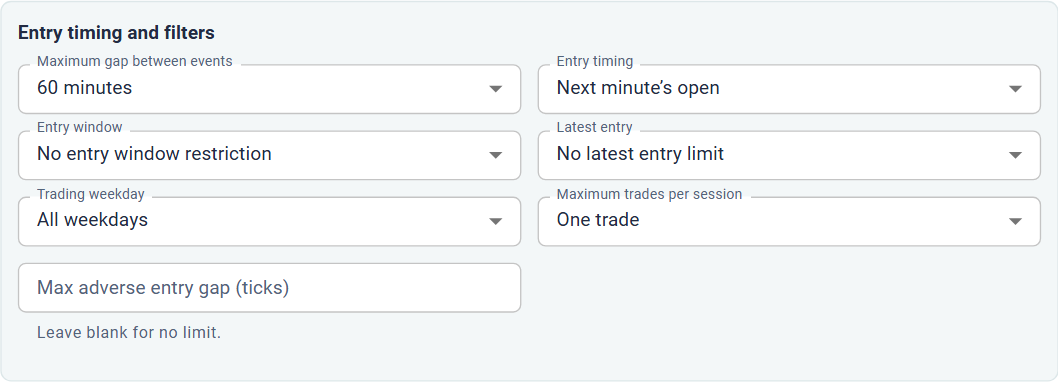
Open Edit setup → Simulation settings → Entry timing and filters. Under Maximum trades per session, choose one, two or three trades. One trade is the default. Lock the rules and run the earlier period to apply a revised limit.
Suppose a trade exits during the 10:15 minute. For a second trade, the full sequence must start after that minute. A sequence that began at 10:14 cannot qualify, even if its final event happens at 10:17. An unfilled signal or unresolved exit ends that session’s simulation. Entry frequency counts a session once. Exit rates count the individual trades.
| Breakdown | What to check |
|---|---|
| Entry time | Read the simulated fill time relative to the market’s session open. An entry exactly 60 minutes after the open falls in the second hour. Compare the resolved counts beside the average returns. |
| Trading weekday | Groups entries by the market’s trading date. After revealing the later test, compare the same weekday across periods and read the sample on each side. |
| Volatility | Each entry compares the recent median of completed session ranges with the preceding reference median. Read the periods and similarity band in Band definitions. Unknown covers insufficient history or a zero reference median. These rows describe trades already in the result. |
| Earlier commission sensitivity | Shows how extra round-trip commission changes the earlier resolved trades. One extra tick on each of ten resolved trades reduces total net return by ten ticks. The later test uses the locked commission. |
A thin-sample label uses the threshold displayed for that period. An unavailable average means there were no usable results to average. A displayed zero can be the average of resolved trades.