
MarketStats classifies sessions as Normal, Normal Variation, Trend or Neutral using the initial balance (IB) and full-session range. The historical table gives each type’s share of all selected daily records.
In the Statistics Library, open Day type historical. This lookup requires MarketStats Pro access to the selected market.
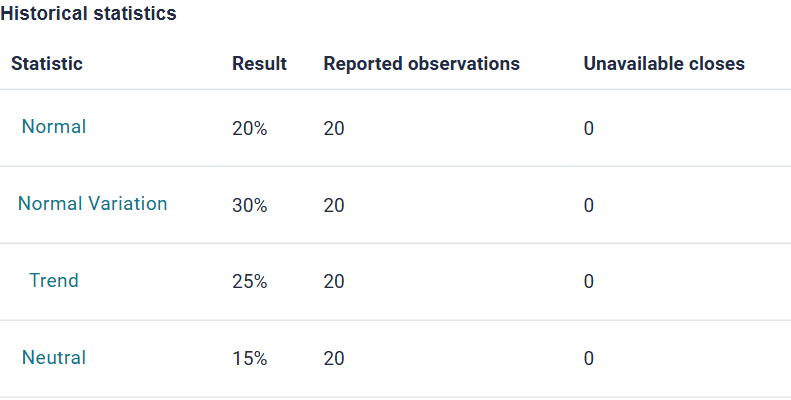
MarketStats checks Neutral first. Price must trade above the IB high and below the IB low. For the other days, divide IB width by session width. At least 85% is Normal. From 50% up to but below 85% is Normal Variation. Below 50% is Trend. A Trend label describes range expansion and allows reversals during the session.