Contact support

How often does the session reach overnight levels?

The overnight high and low are the extremes of the overnight period assigned to a trading date. This lookup checks whether the following configured session reached the high, low or both. An exact touch counts.

Check one or both boundaries

In the Statistics Library, open Overnight historical. This lookup requires MarketStats Pro access to the selected market.
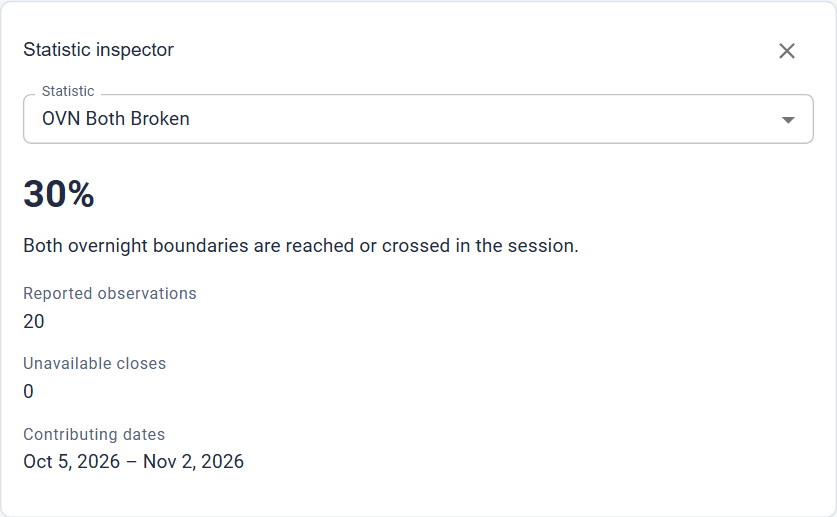
  1. Choose your market and dates. Use Table view to see the overnight rows.
  2. Select OVN Both Broken to count sessions that reached both recorded overnight extremes.
  3. Read the reported observation count. For just one side, select the overnight high or low row. Each directional row includes sessions that reached both.
OVN Both Broken inspector with 30% and 20 reported observations.
Illustrative ES sample. Six of 20 sessions reached both overnight extremes. The daily result does not tell you which one traded first.

Can I add the high and low percentages?

A session that touches both prices appears in each directional rate. Use the either-boundary row for the share that reached at least one. For three separate groups, read the outcomes for one boundary only, both boundaries and neither boundary.

Read historical percentages and weekday breakdowns